
Just use the Windows Command Prompt

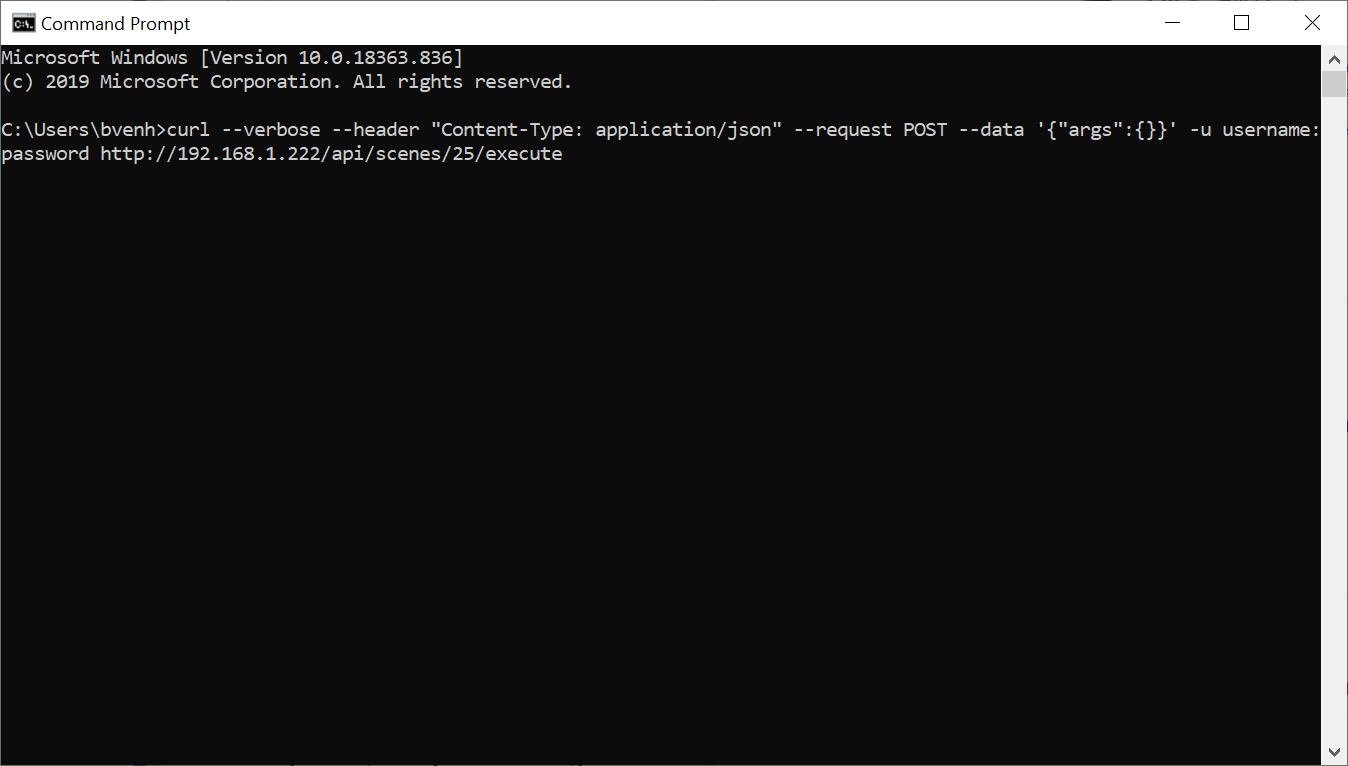
I have send you screen shot of the CMD respond.
It get a error.
{“type”:“ERROR”,“reason”:“JSON_PARSE_ERROR”,“message”:“Invalid value.”}* Connection #0 to host 192.168.1.222 left intact
More details in email screenshoot
You tried to run a scene that doesn’t exist. 25 was from the example I shared with Roger. It looks like 14,63,64,66,67,68,72,73,74,75,etc. Pick 1 of those or try a couple.
I did change it to ID14 just right after… I just send the wrong screensshoot. new one is on the way in email
Sorry . 
Please try this command instead. I think we need double quotes around the data.
curl --verbose --header “Content-Type: application/json” --request POST --data “{}” -u yourusername:yourpassword http://192.168.1.222/api/scenes/14/execute
Also, can you please send me your HRP file that was generating the error in this post?
I have sent you the hrp file and the plugin back after my manipulations.
All sent to support email.
I stepped through the TestScene2.hrp you sent & everything looks good. So every time you run it you see the 405 error when you click the button?
Correct error 405.
Here we have a screen shoot of the config of the button. ( to be sure that it is correctly done )
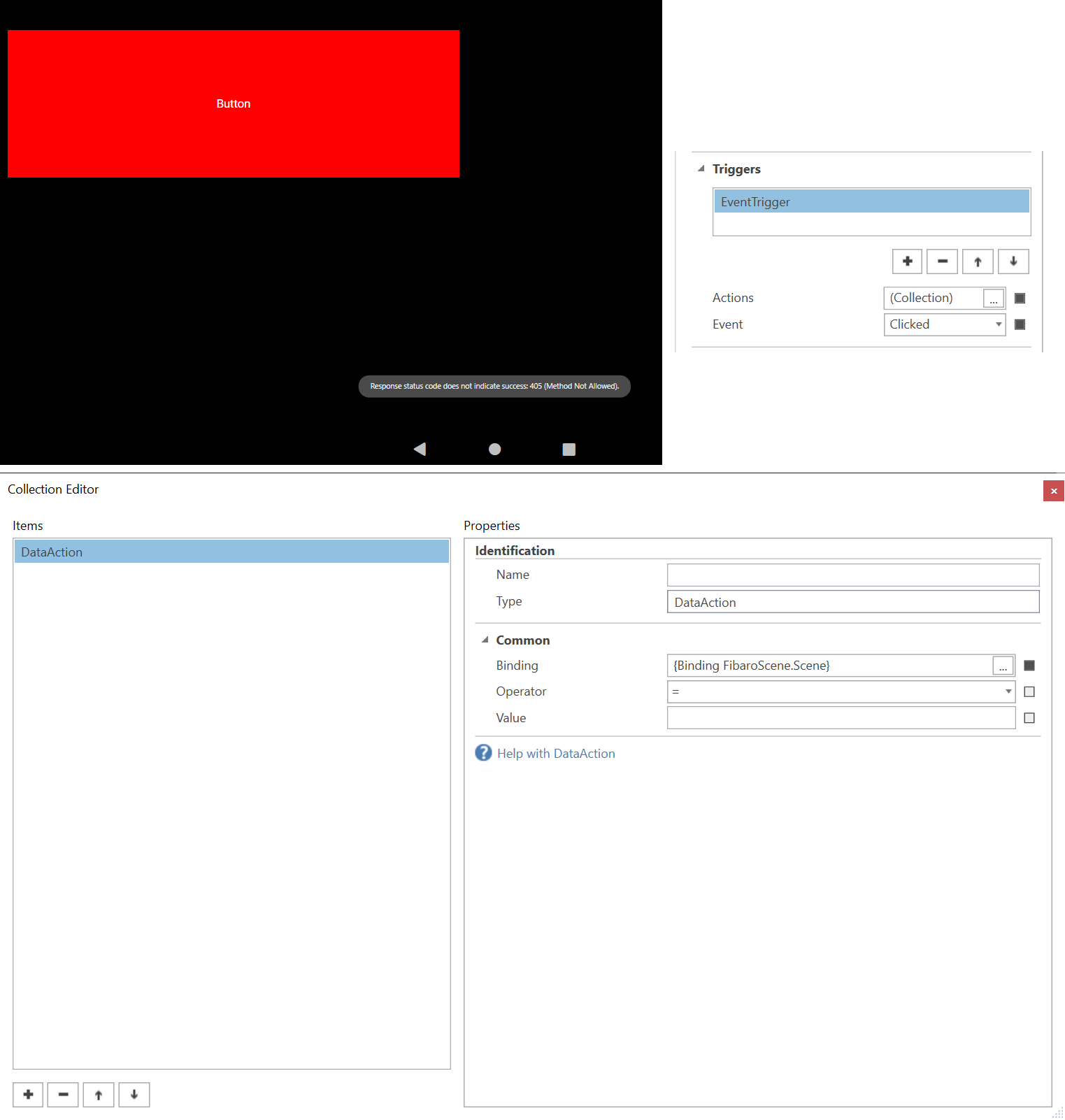
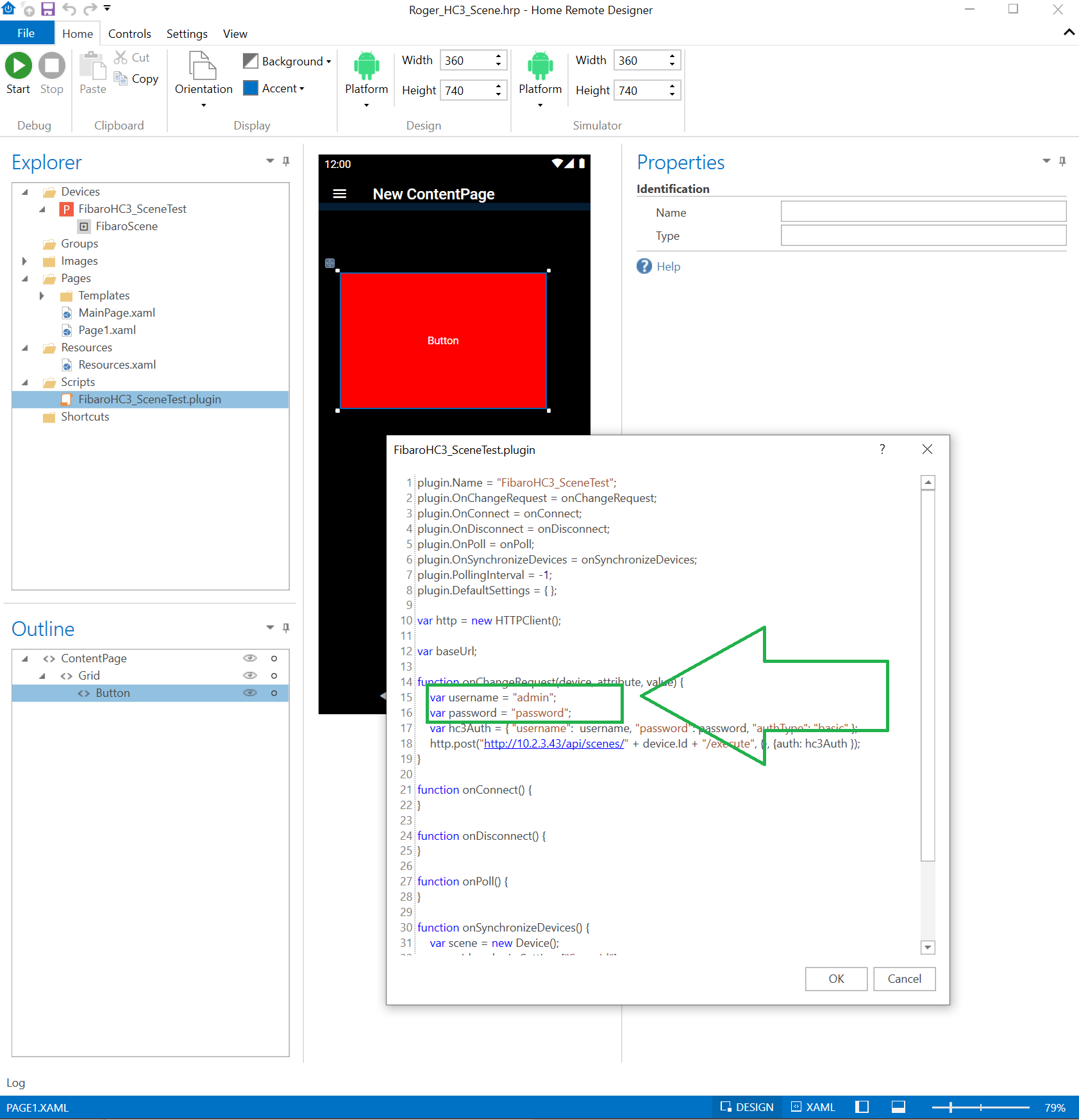
I have a suspicion it may have to do with authorization. I sent you a revised file that forces Basic authorization. Can you let me know if that works?
It is working.
No error.
This was the answer from Fibaro Support btw (got it just now):
Please try to do it like that:
• curl -X POST “http://10.2.3.43/api/scenes/17/execute” -H “accept: /” -H “Content-Type: application/json” -H “X-Fibaro-Version: 2” -H “Accept-language: en” -H “Authorization: Basic YWRtaW46YWRtaW4=” -d “{}”`
•
• Authorization has to be coded in base64. You can use https://www.base64decode.org/ this site to do this.
•
• Hope you will find that helpful!
1 Like
Can you please test the attached file in the Designer Simulator?
Roger_HC3_Scene.hrp (81.7 KB)
You’ll need to update the username & password in the Script. This worked for @hrannar.
Now I am completely confused but I might have to take that to Fibaro support (happy to do if you want me to):
With the admin account it worked like a charm! So, I almost wanted to write COOL, GREAT!
But then I tested with two non-admin account which have access to everything in my HC3 but are non-admin. And there I get a 403. I guess this is time for Fibaro support, right? Will keep you posted
No, hold on minute. Let me post another file to test.
Will do but there is another issue anyway: When I log on as the user (rather than the admin) I do not even see scenes in the UI. Needs to be fixed anyway 
Same. Get a 403 with any non-admin user. I guess this is a Fibaro problem. Let me work with them to get it fixed (hopefully)
Was that CURL command they sent you earlier for a non-admin account?
If it was, then there really isn’t anything else Fibaro can do.
If it works in CURL then this is a Home Remote issue, you shouldn’t need to get Fibaro involved again.
Well, it never worked in CURL for me and I refuse using the admin in such a scenario. It feels to me like an underlying access control issue. The pwd is way more complex for the admin than for my test account. So I do not see that it could be an encoding. It works for the admin but not for my test account.
I cannot see that this is your side.
I asked this already on the other thread regarding the QA/Virtual Device: Does the simulator write a log I can see what it sends towards Fibaro? This would help tremendously